> ## Documentation Index
> Fetch the complete documentation index at: https://docs.getpimento.com/llms.txt
> Use this file to discover all available pages before exploring further.
# TikTok
To connect your TikTok account to Pimento, follow the below steps:
1. Navigate to [Settings > Integrations](https://web.tryhutch.co.uk/clients/settings/integrations) within the Pimento dashboard, and press **Connect** within the TikTok section.
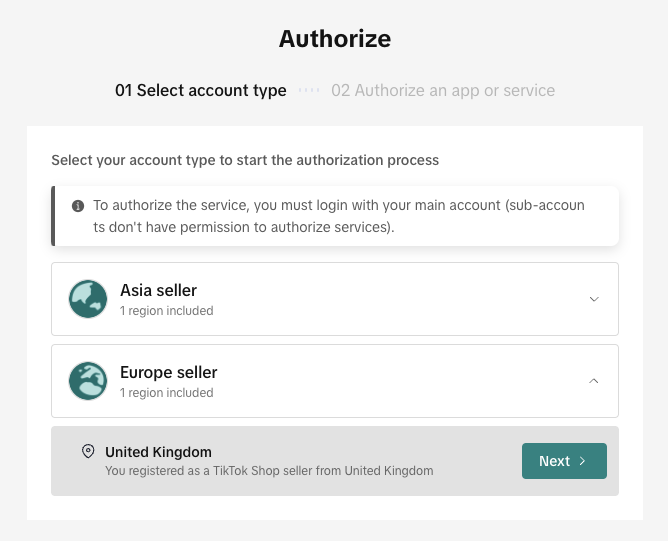
 2. You will be redirected to TikTok where you need to confirm your region and then login to your account
 3. You will be asked to confirm Pimento can connect to your TikTok account
4. You will be redirected back to the Pimento dashboard and your TikTok store is now connected!
3. You will be asked to confirm Pimento can connect to your TikTok account
4. You will be redirected back to the Pimento dashboard and your TikTok store is now connected!