> ## Documentation Index
> Fetch the complete documentation index at: https://docs.getpimento.com/llms.txt
> Use this file to discover all available pages before exploring further.
# Squarespace
In order to connect Pimento with Squarespace, you will beed to be on the Squarespace Commerce Advanced or Premium plan.
To connect your Squarespace account to Pimento, follow the below steps:
1. Within the Squarespace dashboard:
* Open the Developer tools panel
* Click Developer API Keys
* Click Generate Key
* Enter `Pimento` as the Key Name
* Under Permissions, check **Orders** and **Inventory**
* Click Next
* Copy your unique API key
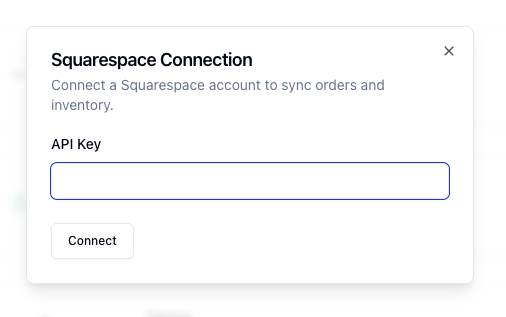
2. Navigate to [Settings > Integrations](https://web.tryhutch.co.uk/clients/settings/integrations) within the Pimento dashboard, and press **Connect** within the Squarespace section.
 3. Enter your API Key in the pop and press **Connect**